Their Fin Dec has errors.
Yours won't.
Theirs was typed from memory. Yours is drafted from the client's own bank records, with every figure traced to its source.
Accurate Fin Decs win cases.
Divorce is already the hardest thing on their plate.
The paperwork shouldn't make it worse.
No trips to the bank.
No guessing budgets.
No homework packet.
20 minutes of guided questions from their phone, and they're done.
Direct bank connection
Connect the bank. Skip the guesswork.
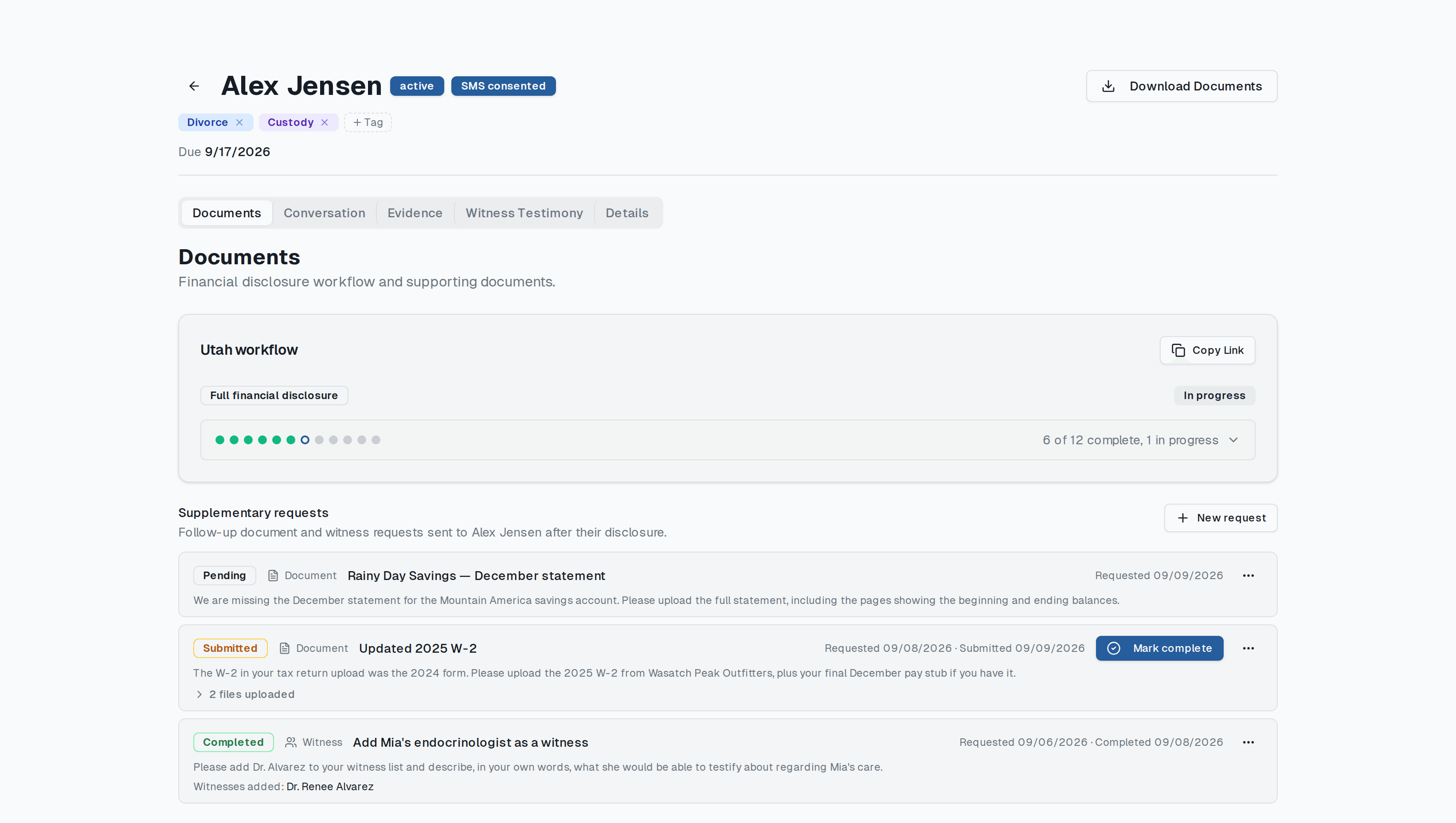
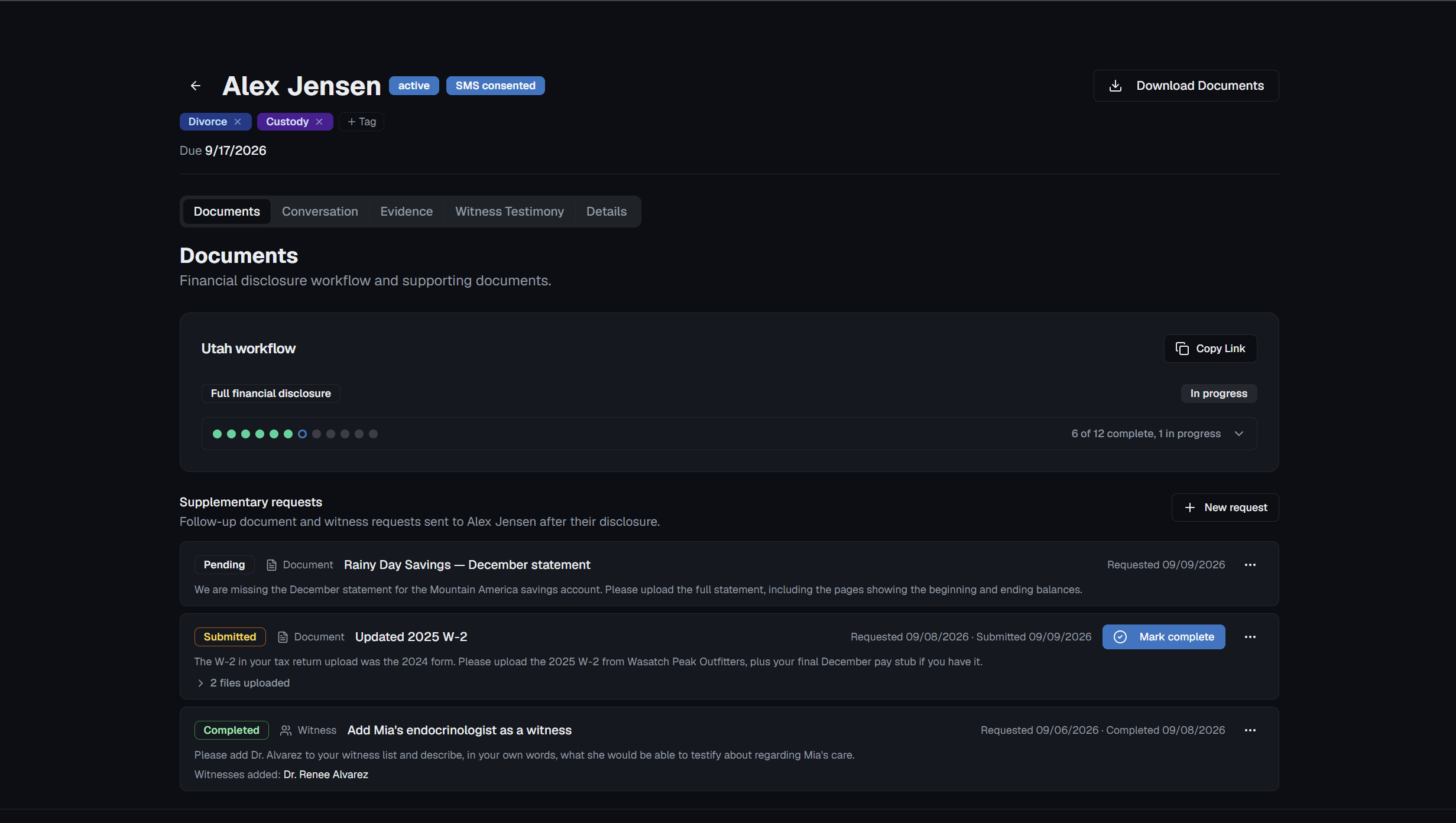
Up to two years of transactions, statements, paystubs and W-2s arrive straight from the institution, and every expense line is filled from what the record actually shows.
- PDF statements retrieved instantly from the bank
- Paystubs and W-2s straight from payroll
- Monthly expenses averaged from real transactions
- Food and household supplies$612/motransactions:avg
38 transactions across 6 months at Smiths, Harmons and Costco
- Health care insurance$284/mopaystub:deduction
Employer paystub, deduction line
- Automobile payments$431/moliabilities
Payment reported by the lender, not averaged from the checking account
- Child careBlankprompted:blank
Nothing in the record supports a figure, so the client is asked
Text-message evidence
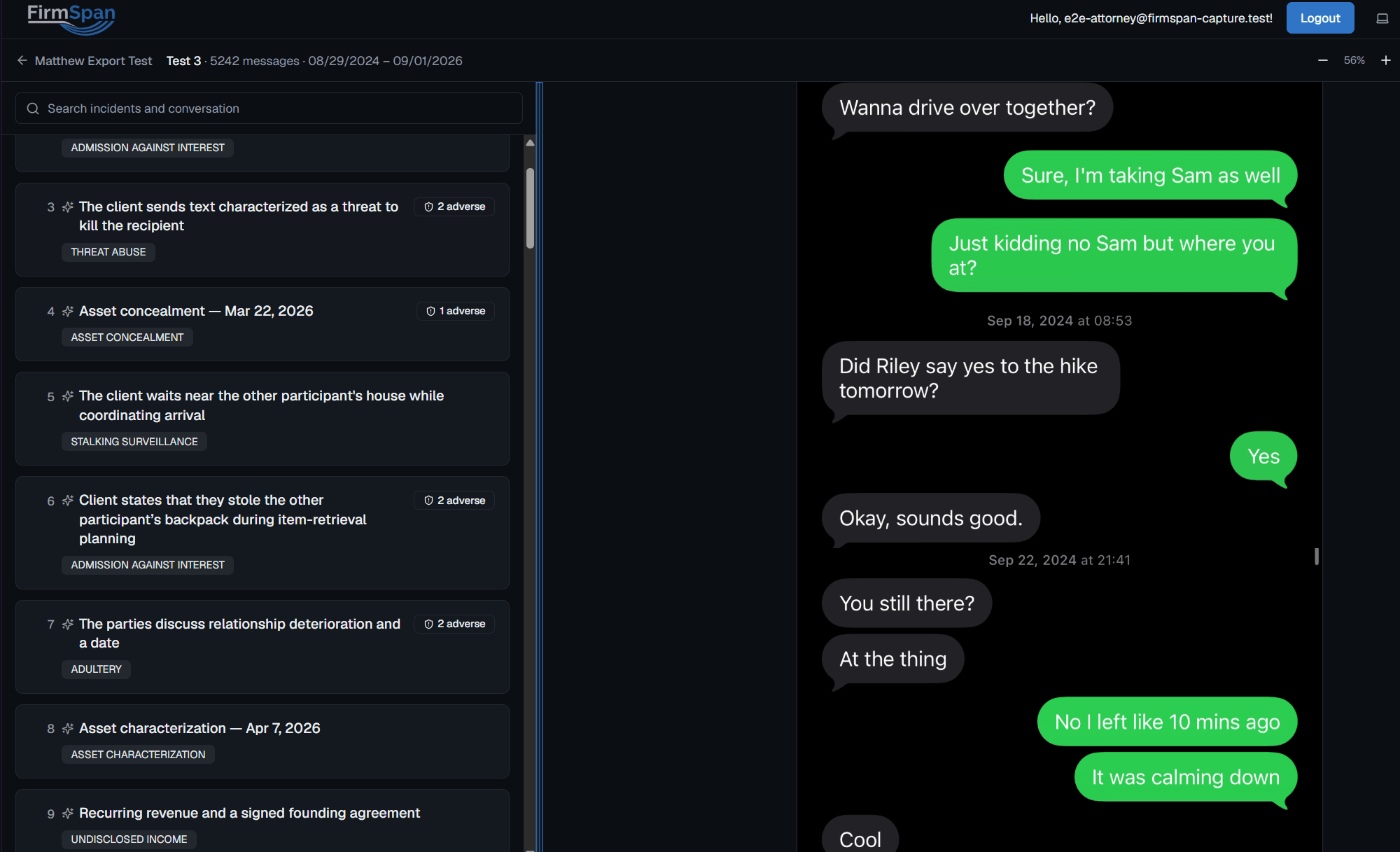
Text conversations gathered in seconds.
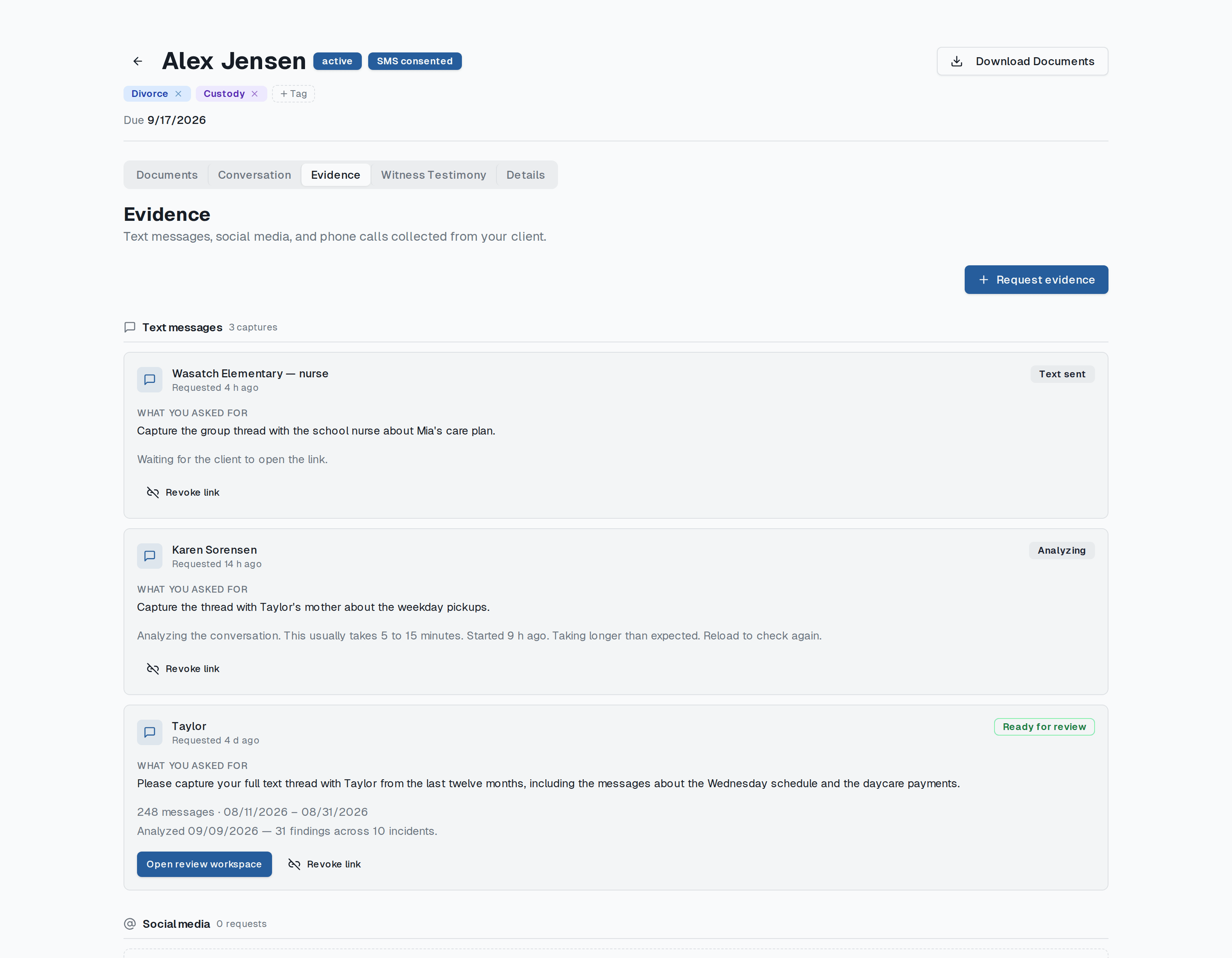
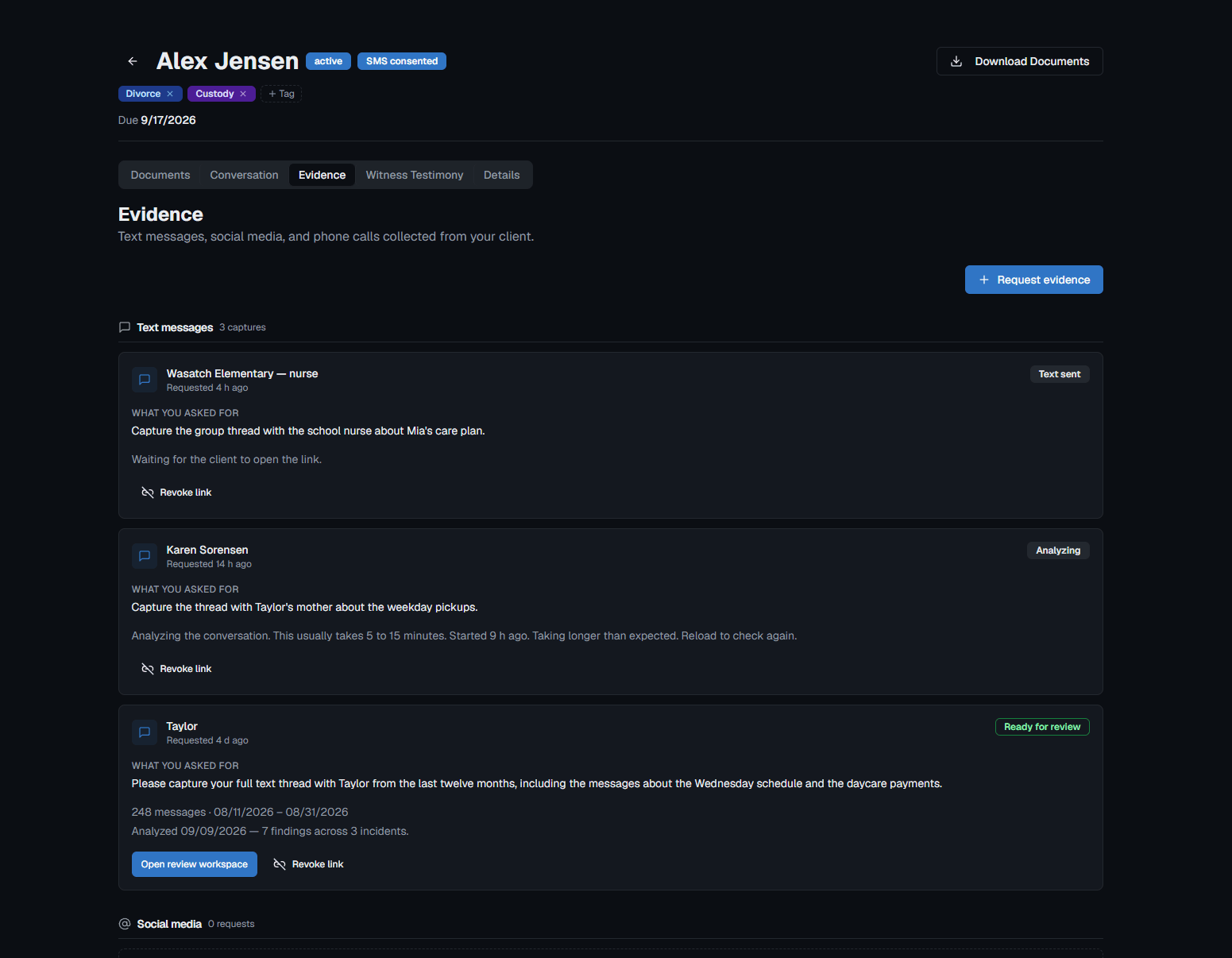
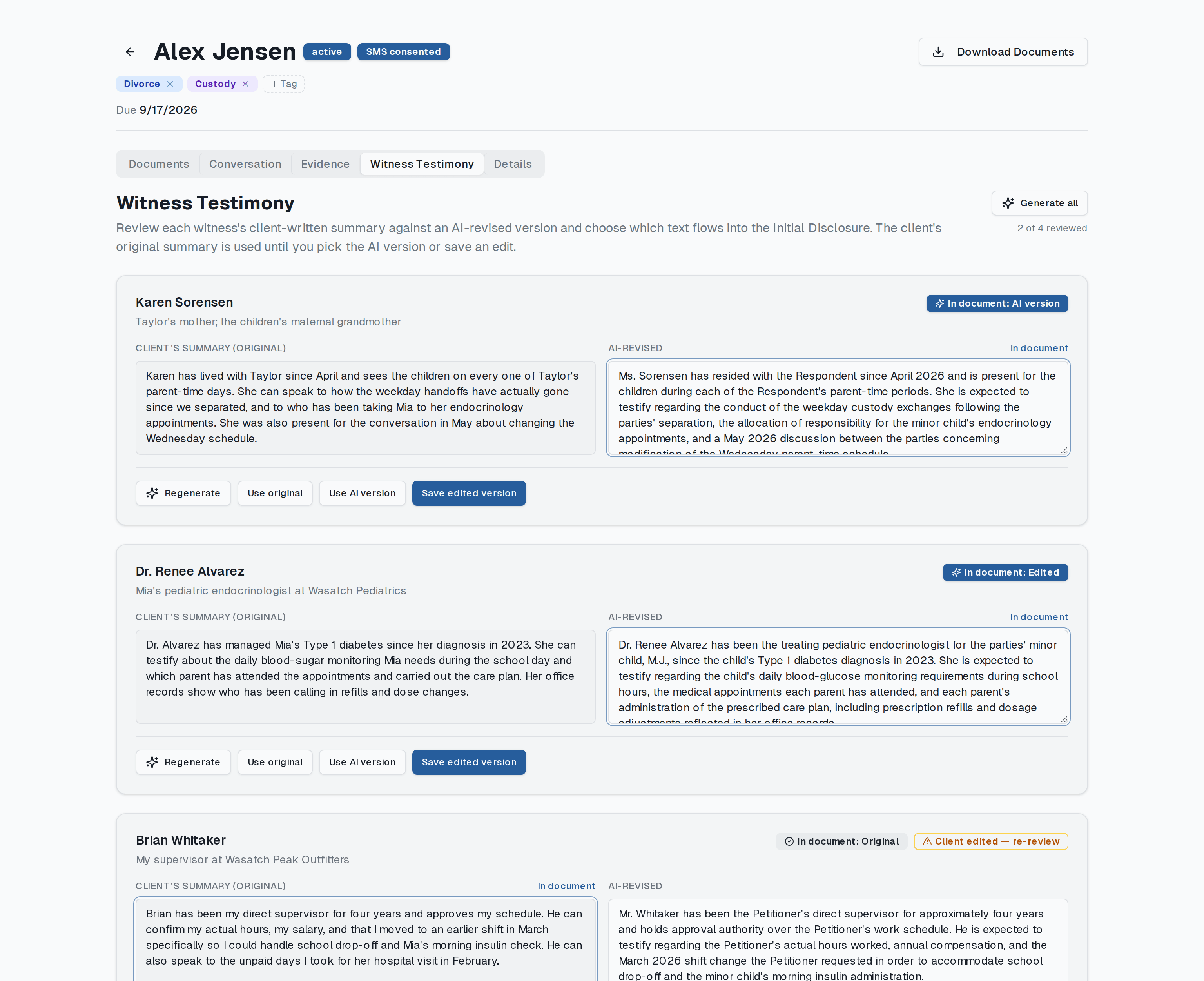
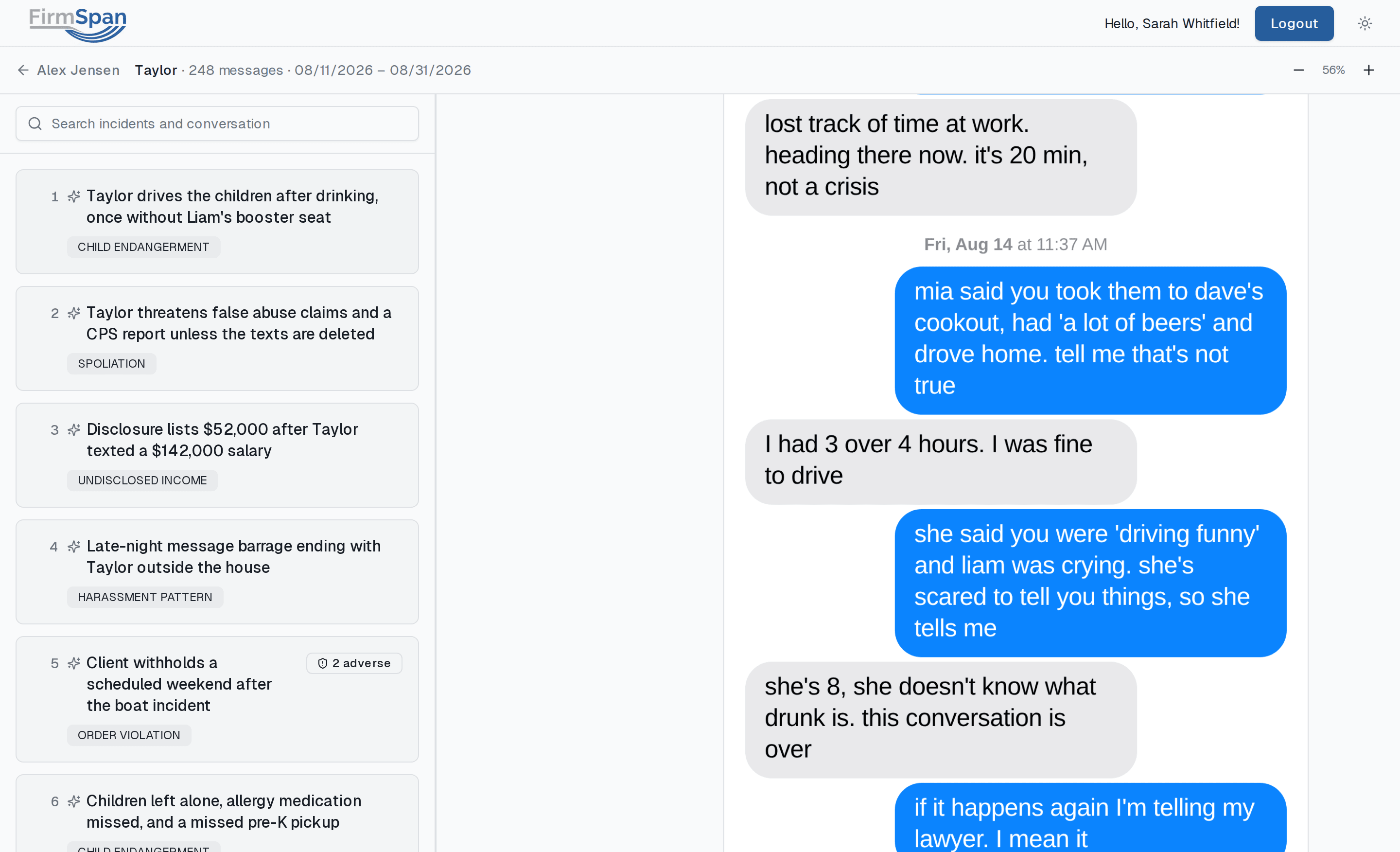
Your client taps a link, records their screen, and shares the recording. FirmSpan securely reads every message and surfaces the most important parts for your review.
- No app, no fees, no more cluttered emails full of random screenshots
- Years of messages analyzed into a short list of findings
- Export original screenshots with visible timestamps and senders
Encrypted in transit and at rest. No AI models are ever trained on your clients' data.
Read exactly how privileged data is handledClio sync
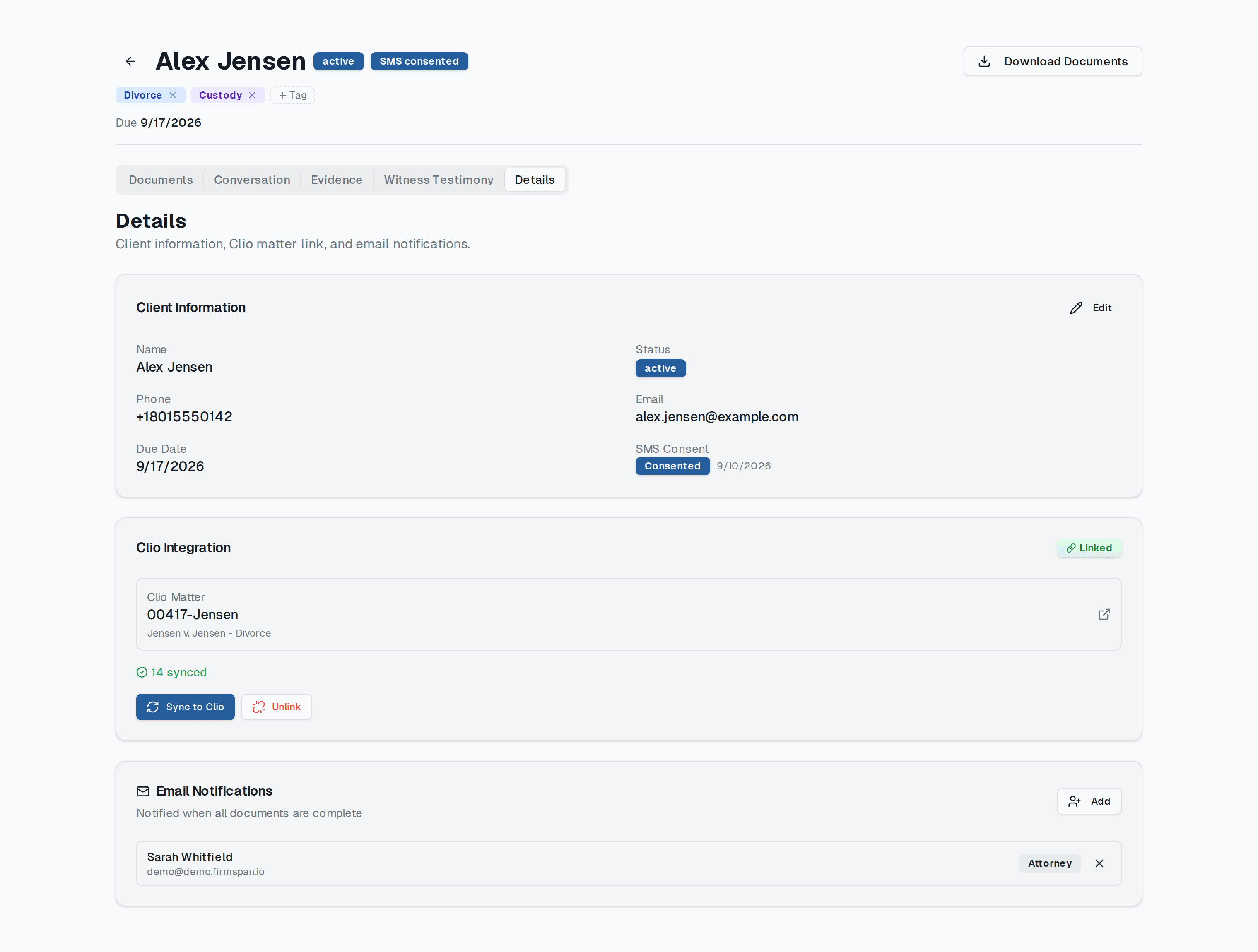
Automatically synced to Clio.
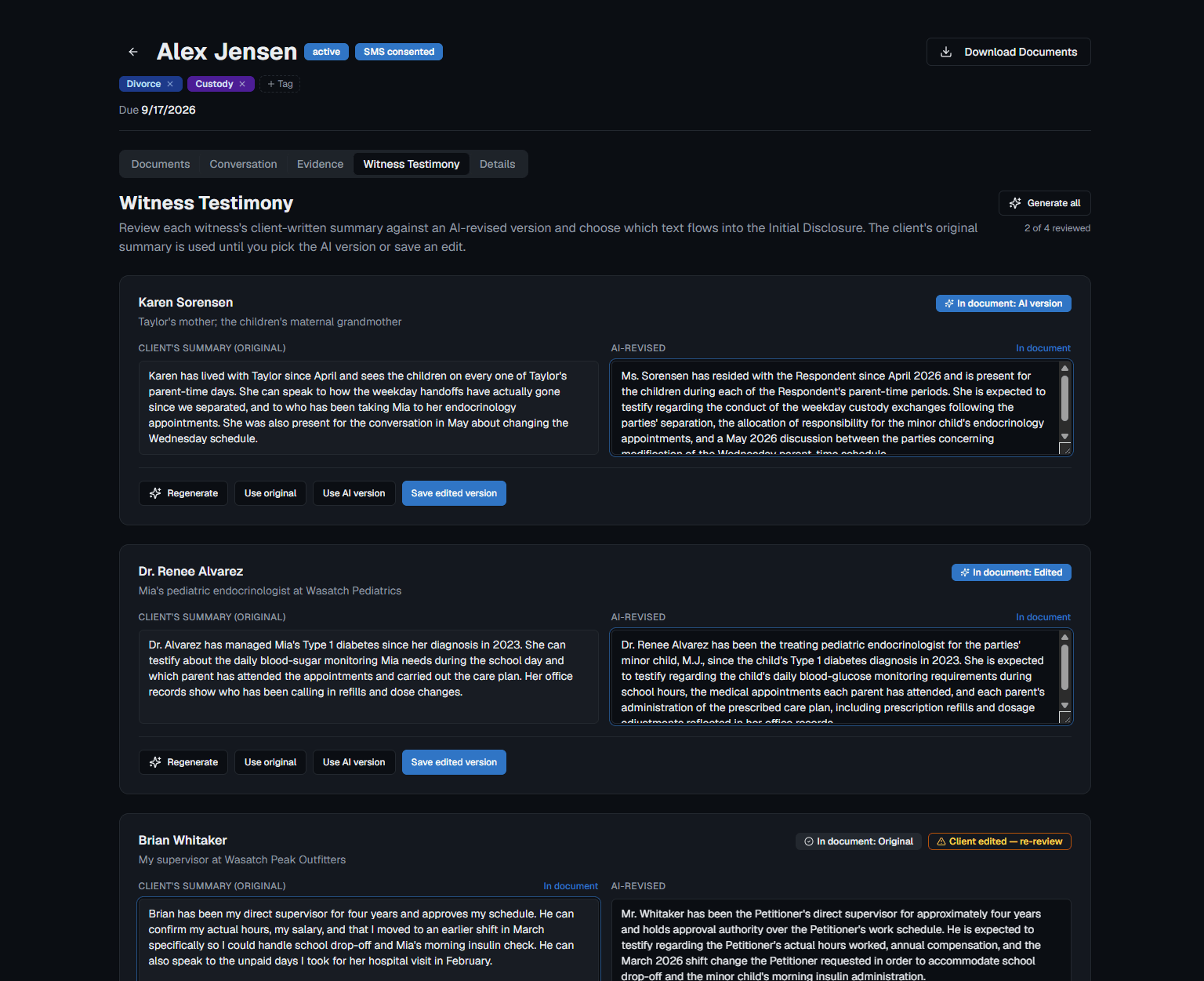
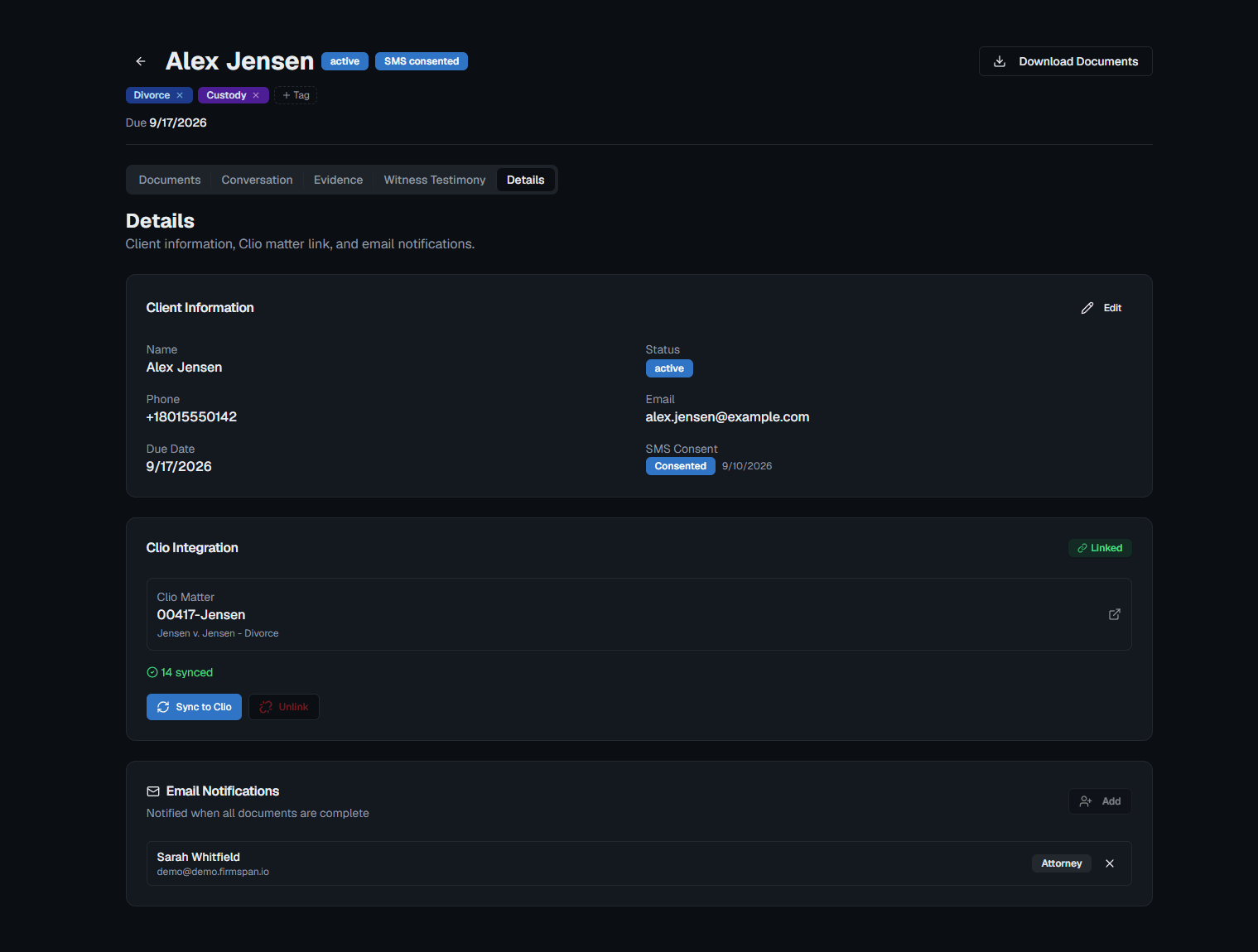
No more manually moving documents. FirmSpan sends the Financial Declaration, Initial Disclosures, and all evidence exports straight to a linked matter in Clio.
- No re-uploading by hand
- Support for other practice-management platforms coming soon
- One place to look, the place you already use
Client experience
It looks like your firm.
The invitation comes from your email address. The portal carries your name and logo. Clients see the firm they hired, start to finish.
- Your logo and name on every client screen
Three ways to collect a financial declaration.
One clear winner.
| Criterion | The old way | Other software | FirmSpan |
|---|---|---|---|
| Where the numbers come from | No: Memory and a shoebox of coffee-stained papers | Partly: Typed in by the client; statements uploaded by hand | Yes: Pulled straight from the bank, up to two years back |
| Your client's time | No: Weeks of back-and-forth | Partly: Hours of data entry in a portal | Yes: 30 minutes in a guided walkthrough |
| Initial Disclosures | No: Drafted separately, by hand | No: Financial declaration only | Yes: Drafted in the same walkthrough |
| Evidence Gathering | No: Screenshots forwarded by email; someone listens to every call | No: Not offered | Yes: Collected in minutes, transcribed and analyzed automatically |
| Clio | No: Re-uploaded by hand | Partly: Sign in with Clio; nothing syncs | Yes: Documents and forms sync directly to the matter |
Where the numbers come from
- The old way
- No: Memory and a shoebox of coffee-stained papers
- Other software
- Partly: Typed in by the client; statements uploaded by hand
- FirmSpan
- Yes: Pulled straight from the bank, up to two years back
Your client's time
- The old way
- No: Weeks of back-and-forth
- Other software
- Partly: Hours of data entry in a portal
- FirmSpan
- Yes: 30 minutes in a guided walkthrough
Initial Disclosures
- The old way
- No: Drafted separately, by hand
- Other software
- No: Financial declaration only
- FirmSpan
- Yes: Drafted in the same walkthrough
Evidence Gathering
- The old way
- No: Screenshots forwarded by email; someone listens to every call
- Other software
- No: Not offered
- FirmSpan
- Yes: Collected in minutes, transcribed and analyzed automatically
Clio
- The old way
- No: Re-uploaded by hand
- Other software
- Partly: Sign in with Clio; nothing syncs
- FirmSpan
- Yes: Documents and forms sync directly to the matter
“Other software” reflects the publicly described features of divorce financial-disclosure tools as of September 2026
Frequently asked questions
What is FirmSpan?
FirmSpan is automated discovery and disclosures software for family law firms. It collects a client's financial records directly from their bank and drafts the financial declaration and initial disclosures, with every figure traced to the record it came from.
How do clients get their records to FirmSpan?
Your firm sends a secure link from its own email address. The link signs the client in on its own, with no app to install, no password to create and no account to manage, and a guided walkthrough takes them through connecting accounts and uploading documents.
Where do the numbers on the financial declaration come from?
Up to two years of transactions, statements, paystubs and W-2s come straight from the client's financial institutions. Monthly expenses are averaged from real transactions and routed to the line of the form they belong on. Spending that can't be confidently placed is shown as miscellaneous rather than dropped, and where nothing in the record supports a figure, the client is asked.
Does an attorney review the draft before it's used?
Yes. An attorney or paralegal reviews the drafted declaration alongside the records behind it and corrects anything before it leaves the firm. The finished packet, with the court forms and every supporting document, downloads as one ZIP.
Which states does FirmSpan support?
FirmSpan is available to family law firms nationwide. Record collection, bank connections and evidence tools work the same in every state, and your firm's forms are set up for your jurisdiction during onboarding.
Can FirmSpan help with text-message evidence?
Yes. Your client taps a link, records their screen and shares the recording. FirmSpan reads every message, surfaces the most important parts for your review, and exports the original screenshots with visible timestamps and senders.
Does FirmSpan integrate with Clio?
Yes. FirmSpan sends the financial declaration, initial disclosures and evidence exports straight to the linked matter in Clio. Support for other practice-management platforms is coming.
How is client data protected?
Client data is encrypted in transit and at rest and stored in the United States, access is limited to your firm and enforced at the database layer, and no AI models are ever trained on your clients' data. Our security page covers every detail.
How much does FirmSpan cost?
Pricing is set per firm and includes hands-on onboarding tailored to your practice. Contact us for a demo and a quote.
Win on the numbers.
See how a Financial Declaration built from exact numbers changes the conversation in mediation and in court.
Free personalized demo. No credit card.